開始遊戲
由 EmulatorJS 驅動 · Arcade
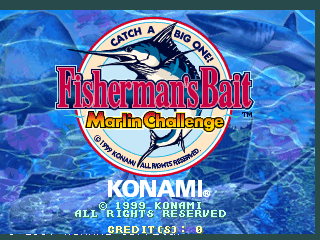
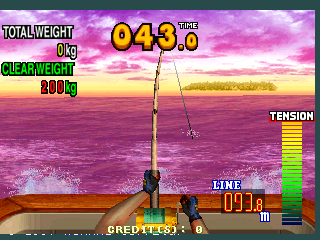
Konami 在 System 573 硬體上開發了這款運動遊戲。玩家參與以馬林魚挑戰為中心的釣魚遊戲,管理各種釣魚機制以捕獲大魚。街機體驗的重點是在專業釣魚模擬中鉤住競爭目標所需的精確度。
本庫記錄的人數布局:1P。
若想按手感逛而不是按標題,可點上方標籤進入對應類型廳,或回到 Arcade 廳看整面機櫃牆。
在本頁點「開始遊戲」即可啟動《Fisherman's Bait - Marlin Challenge (GX889 VER. EA)》。鍵盤、USB/藍牙手把,以及模擬器列裡的觸控虛擬手把都可用。即時存檔與全螢幕也在同一條底列,方便中途暫停再繼續。
《Fisherman's Bait - Marlin Challenge (GX889 VER. EA)》在本庫收錄年份為 1999。
本機櫃人數佈局:1P。
本站類型標籤:Sports。
廠商欄標註為 Konami。
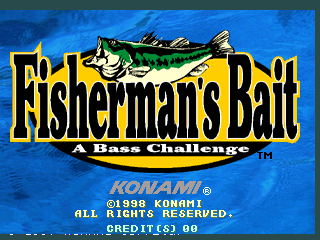
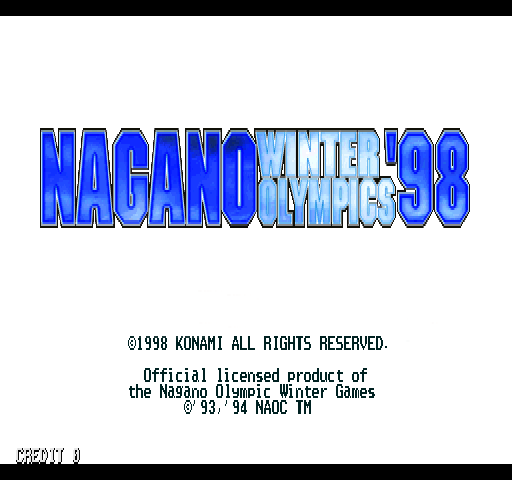
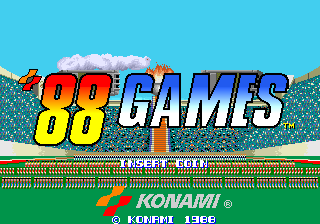
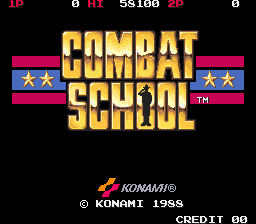
同廳附近還可打開(各有獨立開玩頁):Fisherman's Bait 2 - A Bass Challenge (GE865 VER. UAB), Fisherman's Bait - A Bass Challenge (GE765 VER. UAB), Dark Horse Legend (GX706 VER. JAA), Nagano Winter Olympics '98 (GX720 EAA), '88 Games, Blades of Steel (version T, Joystick), Bottom of the Ninth (version T), Combat School (joystick), Double Dribble, Escape Kids (Asia, 4 Players), Five a Side Soccer (ver UAA), The Final Round (version M)
Fisherman's Bait 2 - A Bass Challenge (GE865 VER. UAB) · Fisherman's Bait - A Bass Challenge (GE765 VER. UAB)
Fisherman's Bait 2 - A Bass Challenge (GE865 VER. UAB) · Fisherman's Bait - A Bass Challenge (GE765 VER. UAB) · Dark Horse Legend (GX706 VER. JAA) · Nagano Winter Olympics '98 (GX720 EAA) · '88 Games · Blades of Steel (version T, Joystick) · Bottom of the Ninth (version T) · Combat School (joystick) · Double Dribble · Escape Kids (Asia, 4 Players) · Five a Side Soccer (ver UAA) · The Final Round (version M)
Fisherman's Bait 2 - A Bass Challenge (GE865 VER. UAB) · Fisherman's Bait - A Bass Challenge (GE765 VER. UAB) · Dark Horse Legend (GX706 VER. JAA) · Nagano Winter Olympics '98 (GX720 EAA) · '88 Games · Blades of Steel (version T, Joystick) · Bottom of the Ninth (version T) · Combat School (joystick) · Double Dribble · Escape Kids (Asia, 4 Players) · Five a Side Soccer (ver UAA) · The Final Round (version M)
廠商欄標註為 Konami。可前往該開發商貨架瀏覽更多作品,或留在本頁試旁邊的機櫃。
Fisherman's Bait 2 - A Bass Challenge (GE865 VER. UAB) · Fisherman's Bait - A Bass Challenge (GE765 VER. UAB) · Dark Horse Legend (GX706 VER. JAA) · Nagano Winter Olympics '98 (GX720 EAA) · '88 Games · Blades of Steel (version T, Joystick) · Bottom of the Ninth (version T) · Combat School (joystick)
可以。Classic Arcade Games 把《Fisherman's Bait - Marlin Challenge (GX889 VER. EA)》作為 Arcade 機櫃放在本頁,點開始即可在瀏覽器裡載入模擬器,不必另裝應用。
街機手感:方向鍵當搖桿,X/Z 等作按鍵,Enter=Start。 USB / 藍牙手把可直接用;六鍵格鬥用面鍵區。
同系列相關機櫃包括:Fisherman's Bait 2 - A Bass Challenge (GE865 VER. UAB), Fisherman's Bait - A Bass Challenge (GE765 VER. UAB)。每台都有獨立頁面,瀏覽器開玩路徑相同。
複製下方 iframe 程式碼,即可把遊戲嵌到你的網站。
<iframe src="https://tw.classicarcade.games/games/arcade/fbaitmc?embed=1" width="800" height="600" allowfullscreen allow="gamepad; autoplay; fullscreen"></iframe>